

Disclosure: some links on this site earn me a commission if you buy. This page has no affiliate links.
Most hosting regret starts at the checkout, not after it: a renewal nobody read, a refund that did not cover the domain, a mailbox that turned out to be an add-on. These are the checks I make before I pay for any plan. The rankings themselves are in best web hosting 2026; this page is the part you do on the host's own site before you click Buy.
The 15 Checks Before You Pay
If one check fails, pause. If three fail, pick another host.
- The renewal price, in writing. The intro rate lasts one term. If the renewal is not on the checkout page, find it in the host's pricing table or terms before you pay.
- The intro term you are really buying. Many low prices apply only to 36 or 48 months paid up front. Check which term the advertised price belongs to.
- File (inode) limits. Shared plans cap the number of files. A WordPress site with many images or a store can reach it.
- CPU and process limits. The acceptable-use policy says when a site gets throttled. Look for CPU, entry-process and PHP-worker limits.
- Mailboxes. "Unlimited email" often has a storage cap or a per-mailbox price. Some managed hosts include no email.
- Backups: how often, and for how long. Daily with at least 14 days kept is a sensible minimum. Weekly-only backups are a warning sign.
- SSL. Free Let's Encrypt with automatic renewal is standard. A paid certificate is only needed for special cases.
- Staging. A one-click staging copy is worth having on any site that earns money. Some hosts leave it out of the entry plan.
- PHP versions. You should be able to choose a current PHP version per site.
- Migration. Free, paid, or a plugin you run yourself? See the table below.
- Data centre location. Pick one close to most of your visitors, or plan a CDN.
- Refund window and exclusions. Find the words "refund" and "non-refundable" in the terms.
- Who owns the host. Many brands belong to the same group and share its policies and prices.
- Support before you buy. Ask pre-sales chat a real question and see how long a person takes to answer.
- Cancelling. Can you cancel from the dashboard, or only by contacting support?
Items 1, 3 and 12 are the ones people skip most, and they are behind most of the "I'm stuck with this host" stories I hear. What each fee costs, host by host, is in hidden web hosting fees; what the renewals add up to is in hosting renewal pricing.
Refunds: What Each Host Gives Back
A money-back guarantee rarely returns everything. Domain registrations are usually kept, and renewals are usually excluded.
| Host | Window | What is not refunded | Basis |
|---|---|---|---|
| Cloudways | No money-back; a 3-day free trial, then billed monthly for what runs | Nothing prepaid to lose; cancel by deleting servers | Our account, Sept 2026 |
| hosting.com | 30 days, first purchase only | Renewals; no pro-rated refunds | Our account and its knowledge base, Sept 2026 |
| Levamo | 14 days, after a 3-day free trial | Not stated on the pricing page | Its pricing page, Sept 2026 |
| Rocket.net | 30 days | Not stated on the pricing page | Its pricing page, Sept 2026 |
| ScalaHosting | Anytime, pro-rated | Domain registration | Published policy |
| Hostinger | 30 days | Domains and most add-ons | Published policy |
| ChemiCloud | 45 days | Domain registration cost | Published policy |
| Kinsta | 30 days | Varies by add-on | Published policy |
| SiteGround | 30 days on shared hosting | Domains and add-ons | Published policy |
| Bluehost | 30 days | Domain fee and add-ons | Published policy |
| GoDaddy | 30 days on annual plans, 48 hours on monthly | Domains and most add-ons | Published policy |
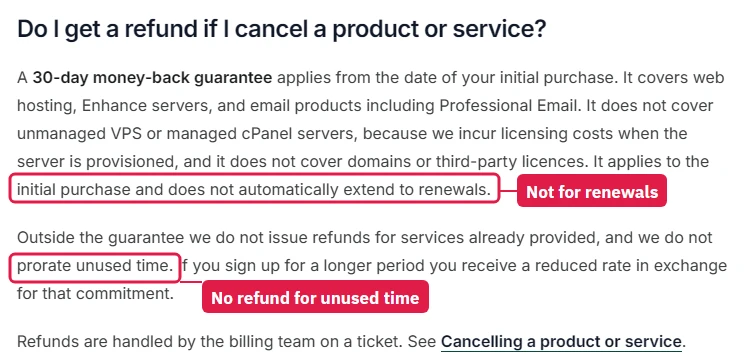
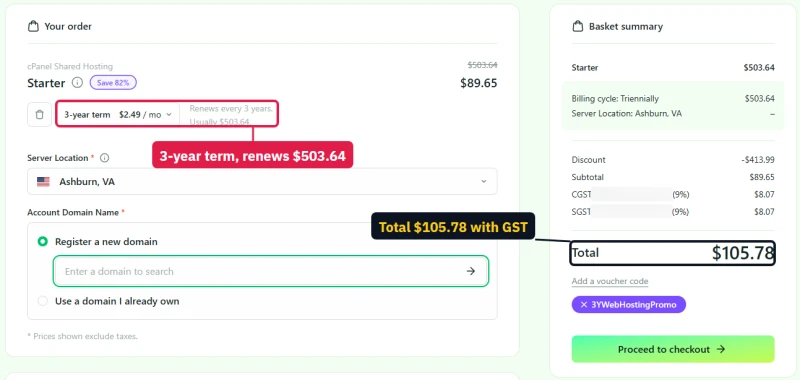
Before you prepay three or four years, work out what you would get back in month two if the host is not what you hoped. If the answer is "the hosting minus a lot", a one-year term at a slightly higher monthly rate is often the better buy.
Migration: Free, Paid or Do It Yourself
| Host | What is offered | Basis |
|---|---|---|
| Cloudways | A free migration plugin for WordPress, or a managed migration shown as free for WordPress and WooCommerce | Our account, Sept 2026 |
| hosting.com | Free migration including email and domains; a move takes 30 minutes to 48 hours by its own FAQ | Our account and its pages, Sept 2026 |
| Levamo | Free migration, listed with every plan | Its pricing page, Sept 2026 |
| ScalaHosting | Free migration, including from cPanel hosts | Published policy |
| Hostinger | Free WordPress migration tool | Published policy |
| ChemiCloud | Free migration from cPanel hosts | Published policy |
| Kinsta | Free migrations handled by its team | Published policy |
| SiteGround | A free WordPress migrator plugin; professional migration is paid | Published policy |
| Bluehost and GoDaddy | Professional migration sold as a paid service | Published policy |
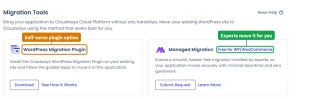
Doing it yourself. For a WordPress site under about 2GB, a migration plugin does the job: export the site on the old host, install WordPress on the new one, import, check the site on the new host's temporary address, then change DNS. Keep the old account running until the new one has served traffic for a few days. Should you move at all? Renew or migrate works through that decision.
Email: Included, Add-On or Separate
There are four ways to get email for your domain:
- Your host's included email. Shared plans (Hostinger, ChemiCloud, ScalaHosting, SiteGround, Bluehost, hosting.com) include mailboxes set up in the control panel. Fine for a hobby site. The catch: the mail server is shared, and if its reputation drops, your order and password emails can land in spam.
- A mailbox add-on from the host. Cloudways sells Rackspace mailboxes per mailbox inside its console; hosting.com sells Titan mailboxes per mailbox. Convenient, but you pay per inbox and the mail stays tied to that host.
- A separate email service. Google Workspace, Zoho Mail, Fastmail or Proton, pointed at your domain with MX records. Your web host never touches email, so it survives a host change. This is what I would use for any business.
- Running your own mail server. Possible on a VPS, but new server IPs start with no reputation and getting mail delivered is slow, fiddly work. Only if you enjoy it.
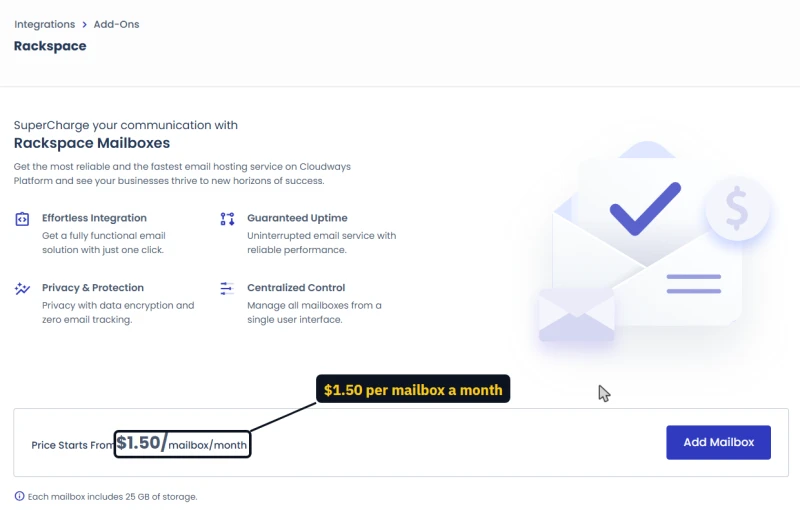
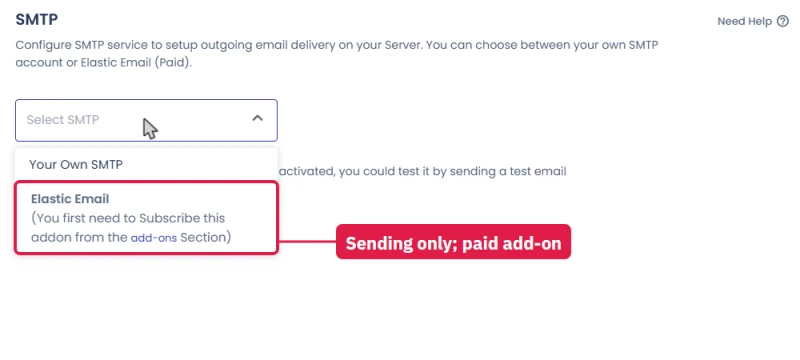
Whatever you choose, set up SPF, DKIM and DMARC records for the domain. They take ten minutes and decide whether your mail is trusted.
FAQ
What should I check before buying web hosting?
The renewal price first, then the limits in the terms (files, CPU, mailboxes), backups and how long they are kept, staging, PHP versions, the migration and refund policy, where the data centres are, and whether you can cancel from the dashboard. The 15 checks on this page take about ten minutes.
Does a money-back guarantee cover the renewal?
Usually not. Most guarantees cover the first purchase only, and domain fees are rarely refunded. hosting.com's knowledge base says so in plain words, and it is the common pattern. Read the refund section of the terms before you prepay several years.
Should I use my web host's email?
For a hobby site it is fine. For a business, a separate email service keeps your mail when you change hosts and usually lands better in inboxes. Cloudways, Kinsta, Rocket.net and WP Engine include no email at all.