

Disclosure: This content is reader-supported, which means if you click on some of our links that we may earn a commission.

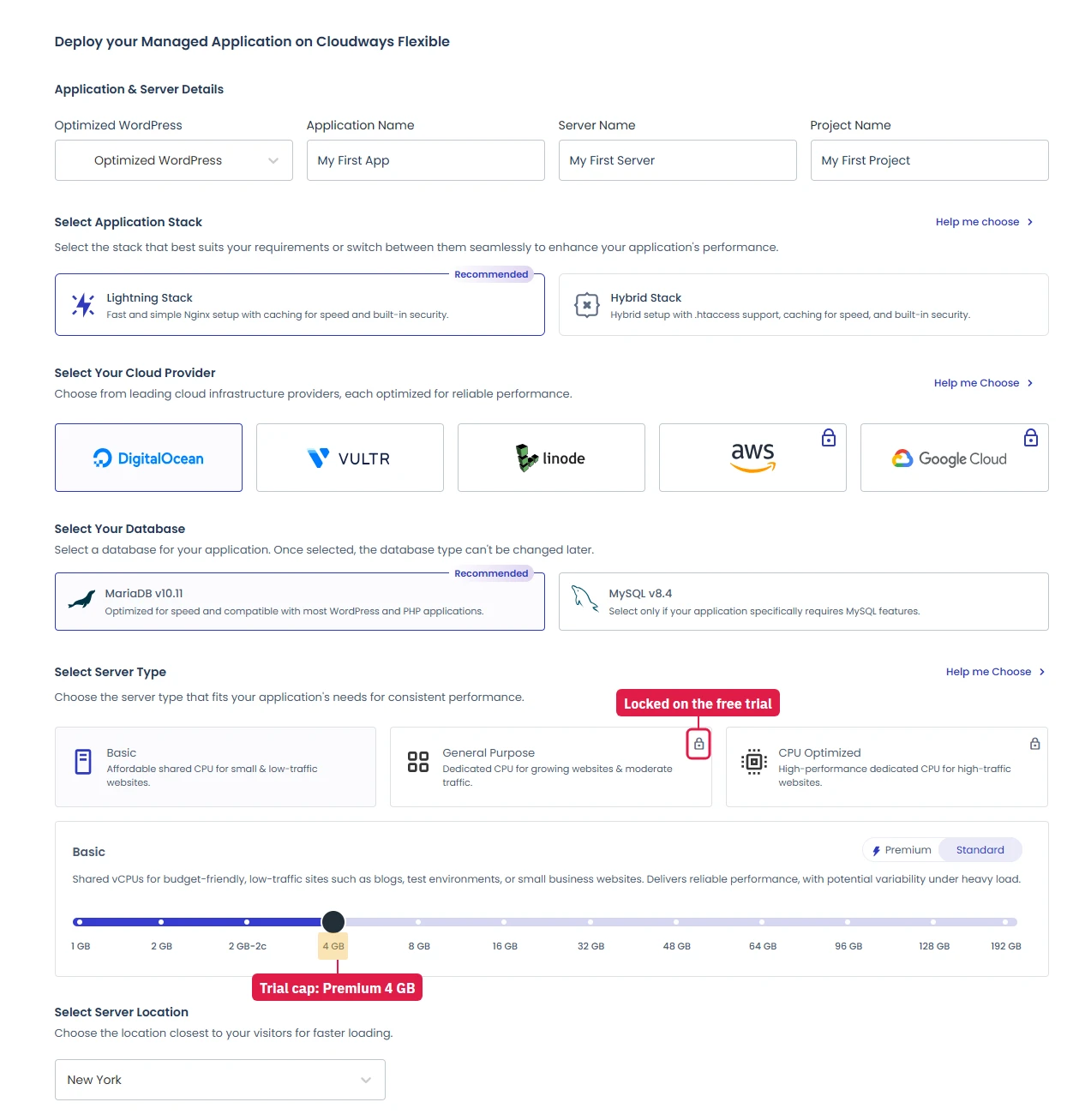
Cloudways launched the Lightning Stack in July 2025 and made it available to every Flexible platform user. Most Cloudways customers still haven't switched. When I launched a new server in September 2026, the launch wizard offered both stacks and marked Lightning Stack (Nginx only) as Recommended, with Hybrid (Nginx in front of Apache) kept for sites that rely on .htaccess rules. Servers created before that usually still run Hybrid, and for them the switch is an upgrade that takes under 60 seconds.
Independent benchmarks ran 12 server configurations head-to-head, half on Hybrid, half on Lightning, same hardware, same PHP 8.3, same WordPress setup. The results: 58% more WooCommerce checkouts processed under load. 72% higher LearnDash throughput on uncached requests. One real-world site migration dropped TTFB from 800ms to 220ms.
This page covers what changed in the architecture, why those numbers happen, and how to switch in three clicks. If you're on Cloudways and you haven't switched yet, you're leaving performance on the table that you've already paid for.

Cloudways Pros
- Lightning Stack available to ALL users, 1-click switch, no downtime, under 60 seconds
- 58% more WooCommerce checkouts handled under load vs Hybrid Stack
- 85% higher LearnDash throughput on uncached course requests
- Pure Nginx + PHP-FPM, no Apache overhead, lower latency per request
- Only 7% throughput loss without Varnish (vs 71% degradation on Hybrid)
Cloudways Cons
- Lightning Stack requires Cloudways Flexible platform, not available on Legacy plan
- Cached page performance nearly identical to Hybrid, gains are in dynamic/uncached workloads
Real Benchmark Data
- Avg response under load (0-250 ramp): 21ms to 32ms
- Uptime (54-day window): 99.979% to 99.99%
- PageSpeed Score (Mobile): 89/100

$11.00/mo
3-Day Free Trial (No Card)
What Is the Cloudways Lightning Stack (and What It Replaced)
Cloudways' original server architecture, the Hybrid Stack, ran Nginx as a reverse proxy in front of Apache. Nginx handled static file delivery; Apache processed PHP requests through mod_php. That dual-server approach was standard practice circa 2015. In 2025, it's unnecessary overhead.
The Lightning Stack removes Apache entirely. Pure Nginx + PHP-FPM handles everything, static files, dynamic PHP execution, and request queuing. Fewer processes, less RAM overhead per request, and dramatically better behavior when full-page caching isn't involved.
The architectural difference matters most in three scenarios every serious WordPress site encounters:
- WooCommerce checkout, cart, and account pages, always uncached, every request hits PHP
- Logged-in users (members, customers, editors), full-page cache bypassed by WordPress design
- WordPress admin (wp-admin), every dashboard request bypasses Varnish and Nginx cache entirely
The Hybrid Stack in these scenarios, without Varnish serving the page, shows a 71% throughput degradation in benchmarks. Lightning Stack in the same conditions: 7% degradation. That 64-point gap is not a configuration problem. It is the architecture.
The most common Cloudways setup for WooCommerce stores is: Hybrid Stack + Varnish disabled (correctly, because Varnish caches cart data incorrectly). That combination runs at maximum Hybrid disadvantage. Every WooCommerce store on Cloudways that hasn't switched to Lightning is in this exact scenario right now.
Lightning vs Hybrid Stack: The Full Benchmark Data
Independent testing by Koddr.io covered 12 server configurations across DigitalOcean and Vultr, PHP 8.3, concurrent user loads from 40 to 1,000. Half the servers ran Hybrid Stack; half ran Lightning Stack, same plan tier, same provider, same WordPress application.
| Workload Type | Hybrid Stack | Lightning Stack | Improvement |
|---|---|---|---|
| WooCommerce Checkout (80 concurrent users) | 3,035 actions | 4,809 actions | ↑ 58% more checkouts |
| LearnDash Lesson Progression (160 concurrent) | 2,034 actions | 3,123 actions | ↑ 53% more actions |
| LearnDash Course List, Uncached (80 concurrent) | 13,459 actions | 25,031 actions | ↑ 85% throughput |
| Dashboard Login Response Time | Baseline | 31% faster | ↑ 31% faster |
| Post Publishing Workflow | Baseline | 20% faster | ↑ 20% faster |
| Throughput Degradation Without Varnish | −71% (catastrophic) | −7% (negligible) | 64-point advantage |
| Real-World TTFB, Migration Case Study | 800ms | 220ms | ↓ 73% reduction |
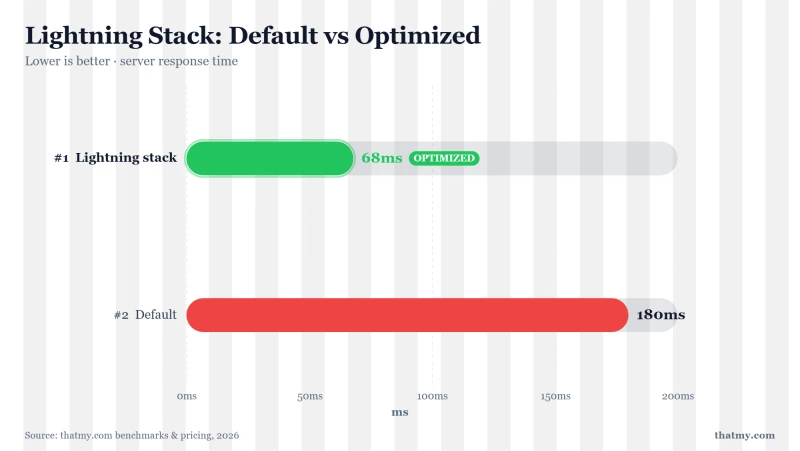
Three things stand out in this data.
First: The WooCommerce and LearnDash numbers are not marginal improvements, 58% and 85% are the difference between a server that handles a traffic spike and one that queues it until requests time out. At Black Friday volumes or a course launch, this distinction is revenue.
Second: The Varnish dependency finding is the most practically important number in the table. When Varnish isn't serving a page (cache miss, fresh post, logged-in user, WooCommerce page), Hybrid Stack loses 71% of its throughput. Lightning loses 7%. If you've ever had Cloudways slow down during a traffic surge and wondered why, this is why.
Third: The 800ms → 220ms real-world TTFB case shows that lab benchmarks translate to actual sites. That's a 73% TTFB reduction on the same server, same plan, same Cloudways account, from a stack switch that cost nothing and took under a minute.
Cached workload tests showed minimal variance between stacks, typically −9% to +12%, within test noise margins. Lightning's advantage is in dynamic and uncached scenarios. No production WordPress site runs at 100% cache hit rates.
How to Switch to Lightning Stack (60 Seconds, No Downtime)
Cloudways confirmed the switch is non-destructive: no data changes, no configuration reset, no downtime. The process completes in under 60 seconds at the server level.
Method 1, Switch a single application:
- Log in to Cloudways → click Applications
- Select your application → open Application Settings
- Click the Stack tab
- Select Lightning Stack → click Update Now
- Confirm by clicking Yes, I want to
Method 2, Batch switch up to 50 applications at once:
- Log in to Cloudways → locate the Boost Your Application Performance banner
- Click it → select your server
- Check the applications to switch (up to 50 in one batch)
- Confirm, all selected applications switch simultaneously
Best practice before switching production:
Clone your application (5 minutes in Cloudways), switch the clone to Lightning Stack, and test your checkout flow, cart, and any plugin-heavy pages. If you run plugins with Apache-specific .htaccess or mod_rewrite directives, this step is important, pure Nginx handles rewrites differently. The clone costs nothing (same server). If anything breaks on the clone, your production site was never touched. Most sites switch cleanly without issue.
If you don't see the Stack tab in Application Settings, you're on the Legacy plan. Lightning Stack requires the Flexible platform. Contact Cloudways support for a migration path, it involves cloning to a new Flexible server, not an in-place upgrade.
Cloudways Lightning Stack for WooCommerce: 58% More Checkouts
WooCommerce is precisely the workload Lightning Stack was designed to improve. Cart pages, checkout, order confirmation, account, none of it can be cached. It is user-specific and changes on every interaction. Every concurrent user in checkout is hitting PHP-FPM directly, every time.
The benchmark ran WooCommerce checkout at 80 concurrent users on DigitalOcean:
- Hybrid Stack: 3,035 successful checkout actions completed
- Lightning Stack: 4,809 successful checkout actions completed
- Result: 58% more checkouts processed, same hardware, same server size, same Cloudways plan
The Varnish situation makes this worse than the numbers suggest for most stores. Cloudways documentation correctly warns against using Varnish with WooCommerce, it can cache cart contents and cause customers to see each other's data. So most WooCommerce stores on Cloudways have Varnish disabled. Hybrid Stack without Varnish loses 71% throughput. Lightning without Varnish loses 7%. The gap between the two stacks in a real WooCommerce environment is larger than even the headline 58% benchmark implies.
If your store processes $10,000/month and loses checkout completions during traffic spikes, the math on that gap is straightforward. The Lightning Stack switch is free. It takes 60 seconds. It doesn't change your Cloudways bill. It changes whether your server handles the spike or queues it until requests time out.
Lightning Stack for LearnDash and LMS Sites: 85% Throughput Gain
LMS platforms generate more uncached traffic than almost any other WordPress application. Course list views, lesson pages, quiz submissions, progress tracking, certificate generation, none of it can be fully cached, because every interaction is user-specific and dynamic.
The benchmark tested LearnDash at multiple concurrency levels on Vultr servers (same plan tier, half Hybrid, half Lightning):
- Course list views (uncached, 80 concurrent): Hybrid: 13,459 actions → Lightning: 25,031 actions, 85% improvement
- Lesson progression (160 concurrent): Hybrid: 2,034 actions → Lightning: 3,123 actions, 53% improvement
85% throughput improvement means your server processes nearly double the student interactions on identical hardware. For a course launch, where 200 students hit the course catalog simultaneously at 9am when you open enrollment, that's the difference between smooth and a 30-second page load that triggers support tickets.
If you're running LearnDash, LifterLMS, TutorLMS, or any LMS on Cloudways Hybrid Stack, the Lightning Stack switch is the highest-leverage infrastructure decision you can make right now. It costs nothing. It takes 60 seconds. The benchmark improvement is 85%.
Should You Switch? Lightning Stack Priority by Site Type
| Site Type | Switch Priority | Primary Gain | Why |
|---|---|---|---|
| WooCommerce Store | ★★★★★ Critical | 58% more checkouts under load | Checkout is always uncached, Lightning built for this |
| LMS (LearnDash / LifterLMS) | ★★★★★ Critical | 85% uncached throughput | Course lists and lesson pages hit DB on every request |
| Membership Site | ★★★★☆ High | 53%+ on logged-in requests | Logged-in users bypass full-page cache by design |
| WordPress Admin-Heavy | ★★★★☆ High | 31% faster login/publishing | All wp-admin requests are uncached |
| High-Traffic Blog | ★★★☆☆ Medium | Minor for fully cached pages | Gains show at cache-miss moments and under traffic spikes |
| Portfolio / Brochure Site | ★★☆☆☆ Low | Marginal improvement | Mostly static cached content, minimal dynamic load |
The short version: if your site has any dynamic, transactional, or user-specific content, switch immediately. The worst case is identical performance to what you have today. The realistic case for WooCommerce, LMS, or membership sites is a 53-85% throughput improvement. There is no scenario where switching to Lightning Stack makes performance worse.
Even for a simple blog, the switch is worth doing, cache misses, scheduled post publishing, and the occasional traffic spike all hit uncached PHP. Lightning handles those edge cases better than Hybrid. And you'll have done it before your traffic grows to the point where it matters urgently.
What Lightning Stack Does NOT Fix
The Lightning Stack improves the server architecture. It does not improve server resources. These things still matter and still need attention after switching:
- PHP workers: Lightning Stack changes the architecture, not the worker count. Default is still 1 on new Cloudways applications. That's still too low. Under any concurrent load, uncached requests queue at worker 1. Set it to 2x your vCPU count as a starting point.
- Redis object caching: On new WordPress apps, Object Cache Pro is now on by default (I checked in September 2026); on older servers, check that it is. Still the single highest-impact WordPress caching change available. Lightning Stack without Redis still runs 40-80 MySQL queries on every uncached WordPress page load. Enable Redis in Server → Settings & Packages → Packages, then install the Redis Object Cache plugin.
- PHP version: A new app started on PHP 8.2 in my September 2026 test, and some older applications are still on 8.1. PHP 8.3 is ~15% faster on WordPress benchmarks than 8.1. Check Application Settings → PHP Version and update if needed.
- Breeze + CDN: Browser caching, asset minification, Gzip compression, and global CDN delivery are architecture-independent. Still needed regardless of which stack you're on.
- Server size: Lightning handles concurrent load more efficiently, but a 1c/1GB server under sustained 500 concurrent users will still exhaust RAM. The stack optimizes efficiency, it doesn't create CPU and RAM that isn't there.
Lightning Stack is the foundation. The optimizations build on top of it. After switching, work through the full tuning checklist in our Cloudways performance setup guide, Redis, PHP workers, PHP 8.3, Breeze, and Cloudflare. That combination, starting from Lightning architecture, is what achieves 60-80ms TTFB on a properly-tuned Cloudways server.
Cloudways Lightning Stack FAQ
What is the Cloudways Lightning Stack?
The Lightning Stack is Cloudways' newer server architecture built on pure Nginx + PHP-FPM, replacing the older Apache Hybrid Stack. Launched July 2025 and available to all Flexible platform users. The core difference: Hybrid Stack degrades 71% in throughput when Varnish isn't serving the page. Lightning degrades only 7%, making it dramatically better for WooCommerce, LMS sites, and any application with uncached or dynamic content. Benchmarks show 58% more WooCommerce checkouts and 85% higher LearnDash throughput on identical hardware.
How do I switch to Cloudways Lightning Stack?
Three steps: (1) Log in to Cloudways → click Applications → select your application. (2) Open Application Settings → click the Stack tab. (3) Select Lightning Stack → click Update Now → confirm with Yes, I want to. The switch takes under 60 seconds and causes no downtime. Your data, files, database, and existing settings remain unchanged. For production sites, Cloudways recommends cloning the application first, testing on the clone, then switching production, takes 10 minutes and eliminates all risk.
Will switching to Lightning Stack break my WordPress site?
For most sites, no. The switch is non-destructive and takes under 60 seconds. However, WordPress plugins that rely on Apache-specific .htaccess directives or mod_rewrite rules written for Apache may behave differently on pure Nginx. Best practice: clone your application, switch the clone to Lightning, test your checkout and plugin-heavy pages thoroughly, then switch production. If anything breaks, the clone is disposable, your production site was never touched.
Does Lightning Stack help WooCommerce performance?
Yes, significantly. WooCommerce checkout, cart, and account pages are always uncached. Every concurrent user in checkout hits PHP-FPM directly. Benchmarks at 80 concurrent users on DigitalOcean: Hybrid processed 3,035 successful checkouts; Lightning processed 4,809, a 58% improvement on identical hardware. The Varnish issue compounds this: WooCommerce stores disable Varnish (correctly), but Hybrid degrades 71% without it. Lightning degrades only 7%. Every WooCommerce store on Hybrid is running the worst-case Hybrid scenario right now.
Is Lightning Stack available on all Cloudways plans?
Lightning Stack is available to all Cloudways Flexible platform users, which covers all current new accounts. If you are on the older Cloudways Legacy plan, the Stack tab will not appear in Application Settings. Legacy users can migrate to Flexible via a server clone, contact Cloudways support for the migration path. All Flexible accounts on Vultr, DigitalOcean, AWS, Google Cloud, and Linode support Lightning Stack.
Does Lightning Stack replace Redis and caching plugins?
No. Lightning Stack improves the base architecture, it is the foundation, not the full stack. Redis object caching, Breeze (or equivalent cache plugin), PHP worker tuning, and CDN are still separately impactful and still needed. The largest Lightning gains appear in uncached and dynamic scenarios. Cached performance between Lightning and Hybrid is nearly identical. After switching to Lightning, complete the full optimization: enable Redis, tune PHP workers to 2x vCPU count, set PHP 8.3, configure Breeze, and point Cloudflare.
Switch Now, The Cost Is Zero, the Downside Is None
Lightning Stack is free. It is available right now in your Cloudways dashboard. The switch takes under 60 seconds. Independent benchmarks show 58% more WooCommerce throughput and 85% more LMS throughput on identical hardware. The Hybrid Stack's 71% degradation without Varnish means every WooCommerce store still on Hybrid is running at a severe disadvantage that one click eliminates.
After switching, run the full optimization stack: Redis on, PHP workers tuned to 2x vCPU, PHP 8.3 enabled, Breeze configured, Cloudflare pointed. That combination, Lightning architecture plus complete tuning, is what takes TTFB from 800ms to under 80ms. Use code CLOUDS2022 for $30 credit if you're signing up new.
Cloudways Pros
- Lightning Stack available to ALL users, 1-click switch, no downtime, under 60 seconds
- 58% more WooCommerce checkouts handled under load vs Hybrid Stack
- 85% higher LearnDash throughput on uncached course requests
- Pure Nginx + PHP-FPM, no Apache overhead, lower latency per request
- Only 7% throughput loss without Varnish (vs 71% degradation on Hybrid)
Cloudways Cons
- Lightning Stack requires Cloudways Flexible platform, not available on Legacy plan
- Cached page performance nearly identical to Hybrid, gains are in dynamic/uncached workloads
Real Benchmark Data
- Avg response under load (0-250 ramp): 21ms to 32ms
- Uptime (54-day window): 99.979% to 99.99%
- PageSpeed Score (Mobile): 89/100
$11.00/mo
3-Day Free Trial (No Card)
If you want that level of speed without any of the configuration work, ScalaHosting delivers 38ms TTFB pre-configured on AMD EPYC 9474F hardware, no stack switching, no Redis setup, no PHP worker tuning required. Flat monthly pricing, no pay-per-GB surprises. Different product, different model, faster out of the box.

Why We Like It
- 38ms TTFB without any tuning, faster than fully optimized Cloudways Lightning
- AMD EPYC 9474F, ranked #42 of 5,999 CPUs in PassMark
- Flat monthly pricing, no pay-per-GB cloud billing surprises
- SPanel included free, full cPanel alternative
Drawbacks
- Renewal ~$82/mo after intro term
- Less provider and region flexibility than Cloudways
Real Benchmark Data
- Origin TTFB (Managed VPS, no CDN): 38ms
- Uptime (54-day window): 99.99%
- PageSpeed Score (Mobile): 83/100

$29.95/mo
Anytime Money-Back Guarantee
Related: Full Cloudways performance optimization guide · Cloudways review 2026 · Cloudways vs ScalaHosting · Cloudways discount code