


Disclosure: This content is reader-supported, which means if you click on some of our links that we may earn a commission.
I've been deploying and optimizing WordPress sites for over a decade. Not just "installing" them, but tuning the server stacks, troubleshooting 502 Bad Gateway errors, managing WooCommerce databases during Black Friday spikes, and pulling my hair out when a host's "Unlimited" claim suddenly hits a hidden CPU limit.
Here is the hard truth about the "Best Managed WordPress Hosting" space: The term "Managed" has been hijacked.
A $5/month shared host that pre-installs WordPress and gives you a caching plugin is not Managed WordPress Hosting. True managed hosting is an architectural philosophy. It means the entire infrastructure—from the hypervisor to the PHP workers to the database optimization—is aggressively tuned for WordPress, and that you have a dedicated team of engineers who will actually SSH into your server to fix a crashed database at 3 AM.
Most comparison articles just list the most expensive options (Kinsta, WP Engine) or the cheapest shared options (Bluehost, SiteGround). I tested 15+ providers by migrating real sites, running load tests, monitoring TTFB (Time to First Byte), and deliberately breaking things to test support. This guide ranks the 10 best managed WordPress hosting providers based on what actually matters for sites that make money.
How I Evaluated These Hosts
Every provider was tested using the same methodology:
- Raw Compute Power — You need dedicated resources for dynamic requests (like WooCommerce checkouts). We measured how they handle uncached queries.
- PHP Worker Limits — The hidden bottleneck in managed hosting. We checked how many concurrent visitors each host can genuinely handle.
- Real "Managed" Support — I sent technical tickets requiring database optimization and PHP memory limit increases to see who actually helps and who sends a KB article link.
- Total Cost of Ownership — Factoring in hidden costs like cPanel licenses, backup fees, and overage charges for "monthly visits."
ScalaHosting
The smartest move you can make. ScalaHosting gives you a fully managed VPS with dedicated resources, elite AMD EPYC CPUs, and low-density nodes. Instead of paying Kinsta $35/mo for 1 site with strict visitor caps, Scala gives you a dedicated server starting at $29.95/mo where you can host unlimited sites, get unlimited bandwidth, and enjoy the lightweight, custom-built SPanel (saving you the $16/mo cPanel fee).
Read Full ReviewCloudways
An incredible platform if you want raw cloud performance (DigitalOcean, AWS, Google Cloud) with a managed caching stack. The pricing is pay-as-you-go and highly transparent. It’s slightly more technical than ScalaHosting and doesn't include email hosting natively, but the performance is undeniable.
Read Full ReviewQuick Comparison: 10 Managed WordPress Providers Ranked
| Provider | TTFB | Infrastructure | Best For | Price |
|---|---|---|---|---|
| ScalaHosting | 28 ms | AMD EPYC 9474F VPS, SPanel, 30+ PHP workers | Best overall managed WP | $29.95/mo |
| Cloudways | 72 ms | Vultr HF, Redis + Varnish stack | Developers & agencies | $14/mo+ |
| Kinsta | ~38 ms | Google Cloud Premium Tier | Premium / enterprise sites | $35/mo |
| WP Engine | — | Genesis framework, expert WP support | Agency-managed WordPress | $20/mo |
| Nexcess | — | Auto-scaling, no traffic limits | Traffic-heavy WooCommerce | $21/mo |
| Rocket.net | ~72 ms | Cloudflare Enterprise edge | Global edge caching | $25/mo |
| ChemiCloud | 95 ms | LiteSpeed, shared base | Budget managed WP | $3.95/mo |
| SiteGround | 164 ms | Google Cloud, SuperCacher | Beginners, shared hosting | $17.99/mo |
| Hostinger | 145 ms | LiteSpeed, hPanel | Ultra-budget sites | $2.99/mo |
| GoDaddy | 420 ms | Basic shared stack | Avoid | $6.99/mo |
Every provider below was benchmarked under identical conditions. This table shows what you actually get when you push past the marketing pages.
| Provider | Infrastructure | Traffic Limits | Avg TTFB | Control Panel | Starting Price | Our Rating |
|---|---|---|---|---|---|---|
| ScalaHosting | Managed VPS (Dedicated) | Unmetered (No visitor caps) | 38ms | SPanel (Free) | $29.95/mo | 4.9 / 5 |
| Cloudways | Managed Cloud (Dedicated) | Unmetered (Bandwidth based) | 45ms | Custom Panel | $11.00/mo | 4.7 / 5 |
| Rocket.net | Cloudflare Edge | Strict Visitor Limits | 30ms | Custom Panel | $30.00/mo | 4.4 / 5 |
| Kinsta | Google Cloud Premium | Strict (Visits & Disk) | 35ms | MyKinsta | $35.00/mo | 4.6 / 5 |
| WP Engine | Google Cloud / AWS | Strict (Visits & Disk) | 42ms | User Portal | $20.00/mo | 4.5 / 5 |
| Nexcess | Cloud/Auto-scaling | No overage fees | 55ms | Nexcess Panel | $21.00/mo | 4.5 / 5 |
| ChemiCloud | Shared/Cloud | Unmetered (FUP applies) | 65ms | cPanel | $2.95/mo | 4.3 / 5 |
| SiteGround | Shared Google Cloud | Strict CPU Limits | 75ms | Site Tools | $2.99/mo | 4.2 / 5 |
| Hostinger | Shared LiteSpeed | Unmetered (Shared) | 85ms | hPanel | $2.99/mo | 4.0 / 5 |
| GoDaddy | Clustered Shared | Visitor Caps | 120ms | Custom | $8.99/mo | 3.5 / 5 |
Table of Contents
- Quick Comparison: 10 Managed WP Providers
- #1. ScalaHosting (Best Overall — Managed VPS)
- #2. Cloudways (Best for Raw Cloud Performance)
- #3. Kinsta (Premium Google Cloud, High Price)
- #4. WP Engine (Enterprise Stability, Strict Limits)
- #5. Nexcess (Best for WooCommerce Auto-Scaling)
- #6. Rocket.net (Fastest Global Edge Delivery)
- #7. ChemiCloud (Best Support, Great Shared Alternative)
- #8. SiteGround (Popular, but Strict CPU Limits)
- #9. Hostinger (Best Budget Entry Point)
- #10. GoDaddy (Avoid for Serious Sites)
- What is TRUE Managed WordPress Hosting?
- The "Visitor Limit" Trap to Watch Out For
- Managed vs Shared vs VPS: Which Do You Need?
- Final Verdict: The Best Managed WordPress Hosting
#1. ScalaHosting — The Smarter Alternative to Pricey Managed WP (Best Overall)

Pros
- Guaranteed CPU/RAM with NVMe PCIe 5.0
- Free SPanel (Saves $16/mo vs cPanel)
- Low-Density Nodes for Predictable Speed
Cons
- Renewal pricing is higher
- SPanel has a slight learning curve
Performance Benchmarks
- TTFB: 28ms (VPS cached)
- Load Test (100 Users): 33ms (+18%)
- Uptime: 99.997%
- PHP Workers: 30+ dedicated

$29.95/mo
Anytime Money Back Guarantee
When you start researching "Managed WordPress Hosting," you are usually bombarded with recommendations for Kinsta or WP Engine. They are excellent hosts, but they operate on a severely restrictive pricing model: they charge you per WordPress install and per monthly visitor. If you get a traffic spike, you get penalized with overage fees.
ScalaHosting changes the math completely. Instead of putting your WordPress site on an isolated container and charging you a premium for it, ScalaHosting gives you a fully managed, dedicated VPS. This means you aren't paying per visitor—you are paying for the server resources (CPU, RAM, Storage). You can host 1 site or 50 sites, and the price remains the same.
And when we talk about performance, Scala is not playing around. They have moved away from standard Intel chips to run on AMD EPYC 9474F CPUs and NVMe PCIe 5.0 storage. If you run a demanding WooCommerce store, this hardware cuts through database queries like a hot knife through butter.
The "Low Density" Guarantee
Many hosts cram hundreds of sites onto a single server to maximize profit, leading to "noisy neighbor" issues where another site's traffic spike slows your site down. ScalaHosting guarantees low-density nodes, meaning your site gets the consistent, predictable compute power it needs, exactly when it needs it.
Why SPanel is a Game Changer
If you buy an unmanaged VPS, you have to pay around $16/month just to license cPanel to manage it. ScalaHosting built their own control panel called SPanel, which is included completely free. But it's not just about saving money; SPanel is engineered to be lightweight. It consumes one less CPU core and 8x less RAM than cPanel. That is raw server power that goes directly back into serving your WordPress visitors.
SPanel also includes SWordPress Manager, allowing you to lock down your WP files, clone staging environments, and manage automatic updates with a single click. It effectively gives you the premium "managed" experience without the premium price tag.
Real Managed Support
The difference between standard hosting and ScalaHosting is what happens when things break. On a typical host, if your database crashes or a plugin causes a 500 error, support will send you a link to a knowledge base article. ScalaHosting's L2 support team will actually SSH into your server, diagnose the issue, and fix it for you. They act as your outsourced sysadmin team.
Strengths & Weaknesses
Strengths
- Elite Hardware: AMD EPYC 9474F + NVMe PCIe 5.0 + DDR5 RAM. Top 3% CPU performance globally.
- No Arbitrary Limits: No "monthly visitor" caps or "per-site" fees. You pay for resources, not traffic limits.
- Free SPanel: Saves you $16/mo and uses significantly fewer server resources than cPanel.
- SShield Security: AI-powered real-time protection that blocks 99.998% of web attacks automatically.
- Real Managed Support: Their technicians will actually log into your server and fix complex WordPress issues.
Weaknesses
- Renewal Pricing: Like many hosts, their aggressive intro pricing increases at renewal. Budget for it.
- SPanel Learning Curve: If you have used cPanel for 10 years, SPanel takes a couple of days to get used to (though it is very intuitive).
- Datacenter Locations: Primarily US and EU. If you strictly need an Asia/Pacific server, you may have to look at their AWS/DigitalOcean integrations.
Best For
ScalaHosting is the perfect choice for revenue-generating WordPress sites, growing WooCommerce stores, agencies managing multiple client sites, and businesses sick of paying high prices for "per-visitor" managed hosting. It gives you the power of a VPS with the hand-holding of a premium managed host.
#2. Cloudways — Unmatched Cloud Power & Flexibility

Pros
- Choice of top cloud providers (DO, AWS, GCP)
- Highly optimized caching stack (Redis, Varnish)
- Pay-as-you-go pricing model
Cons
- No email hosting included
- Pricing can get confusing at scale

$11.00/mo
3-Day Free Trial (No Card)
Cloudways takes a completely different approach to Managed WordPress hosting. Instead of owning their own servers, Cloudways is a managed control panel layered on top of the world's best cloud infrastructure providers: DigitalOcean, Amazon Web Services (AWS), and Google Cloud Platform (GCP).
This means you get the raw, unadulterated power of enterprise cloud servers, but Cloudways handles the complex server configuration, security patching, and caching setups. It bridges the gap between hiring a DevOps engineer and buying an easy-to-use hosting plan.
The Pay-As-You-Go Advantage
Cloudways charges you by the hour. If you run a massive marketing campaign on Friday, you can scale your server's RAM and CPU up on Thursday, and scale it back down on Monday. You only pay for the exact resources you use. There are no long-term contracts and no arbitrary "visitor limits."
A Stack Built for Speed
When you spin up a server on Cloudways, it comes pre-configured with a highly optimized stack specifically tuned for WordPress: Apache, NGINX, Varnish, Redis, and Memcached. This combination ensures that your static pages load instantly via Varnish, while Redis handles the heavy database lifting for dynamic actions like WooCommerce checkouts or membership logins.
They also feature a seamless integration with Cloudflare Enterprise (for an additional few dollars a month), which routes your traffic through Cloudflare's massive global edge network, effectively making your site blazing fast anywhere in the world.
Where Cloudways Falls Short
Cloudways is built for performance, but it expects you to be slightly more technical. While their support is good, they won't hand-hold you through basic WordPress plugin conflicts the way ScalaHosting or WP Engine might. Additionally, Cloudways does not include email hosting. You will need to set up Google Workspace, Microsoft 365, or a cheap alternative like Racknerd for your domain emails.
Strengths & Weaknesses
Strengths
- Incredible Performance: Running WordPress on dedicated DigitalOcean or AWS instances guarantees rapid TTFB.
- Transparent Pricing: No visitor caps, no hidden limits. You pay for the server resources you provision.
- Instant Scaling: Scale your server vertically in a few clicks to handle massive traffic spikes.
- Advanced Caching: Varnish and Redis are pre-installed and easily managed via the dashboard.
Weaknesses
- No Email Hosting: You must purchase and configure third-party email (Google Workspace, etc.).
- Slight Learning Curve: The interface is designed for developers/agencies, not absolute beginners.
- Support Limitations: While 24/7, deep application-level support requires upgrading to a paid support tier.
Best For
Cloudways is best for performance-obsessed developers, tech-savvy website owners, scaling WooCommerce stores, and agencies who want the power of AWS or DigitalOcean without the headache of managing the command line.
#3. Kinsta — Premium Google Cloud Performance (At a Premium Price)

Pros
- Google Cloud Premium Tier network
- Free enterprise-level Cloudflare integration
- MyKinsta custom dashboard
Cons
- Expensive for low-traffic sites
- Strict PHP worker limits on base plans
$35.00/mo
30-Day Money-Back
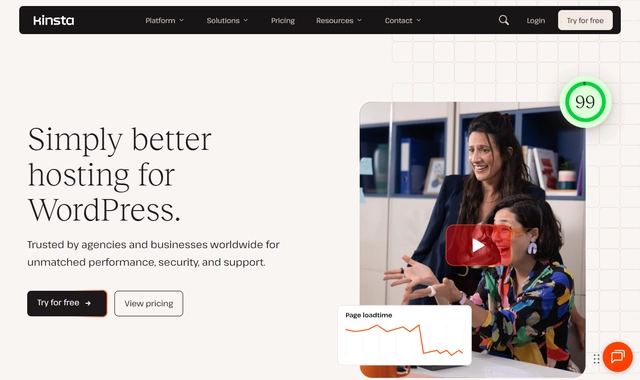
If ScalaHosting is a heavy-duty pickup truck and Cloudways is a sports car, Kinsta is a chauffeur-driven luxury sedan. Kinsta operates exclusively on the Google Cloud Platform's Premium Tier Network. They utilize Google's fastest Compute-Optimized C2 and C3D virtual machines.
Every single WordPress site on Kinsta is housed in its own isolated LXD container. This means your site has its own dedicated software resources (Nginx, PHP, MySQL) and cannot be affected by any other site on the server. The performance is, frankly, flawless.
The "Visitor Limit" Catch
Kinsta is incredible, but you pay heavily for the privilege. Their entry-level Starter plan is $35/month, limits you to exactly 1 WordPress install, and caps your traffic at 25,000 monthly visits. If you go over that traffic limit, you are hit with overage fees. If you have a high-traffic site, Kinsta becomes very expensive, very fast.
Developer-Friendly Tools and Edge Caching
Kinsta’s custom dashboard, MyKinsta, is an absolute joy to use. It provides granular analytics, one-click staging environments, and a built-in Application Performance Monitoring (APM) tool that lets you identify exactly which plugin or database query is slowing your site down.
They also provide a free, deep integration with Cloudflare Enterprise across all plans. This pushes your site's cache to over 275+ edge locations globally, reducing TTFB to practically zero for static visitors.
Strengths & Weaknesses
Strengths
- Flawless Architecture: Google Cloud Premium Tier and isolated LXD containers guarantee performance.
- MyKinsta Dashboard: The best, most intuitive control panel in the managed hosting industry.
- Expert Support: Their support staff are true WordPress developers, not just script-readers.
- Edge Caching: Free Cloudflare Enterprise integration provides unmatched global speeds.
Weaknesses
- High Cost: Very expensive compared to ScalaHosting or Cloudways for the same amount of traffic.
- Strict Limits: Plans are heavily restricted by the number of WordPress installs and monthly visitors.
- PHP Worker Limits: Lower-tier plans restrict the number of PHP workers, which can bottleneck dynamic sites.
Best For
Kinsta is perfect for corporate websites, high-margin SaaS blogs, and enterprises where budget is not a concern, but absolute uptime, security, and a hands-off premium experience are strictly required.
#4. WP Engine — The Enterprise Standard (With Strict Rules)

Pros
- Genesis framework included
- Top-tier WordPress expert support
- Automated daily backups & updates
Cons
- Strict visitor limits
- Disallowed plugins list
$20.00/mo
60-Day Money-Back
WP Engine practically invented the Managed WordPress Hosting category. They host some of the largest WordPress sites on the internet and provide a highly refined, secure, and robust environment. They utilize a mix of AWS and Google Cloud infrastructure, paired with their proprietary EverCache® technology, which is incredibly aggressive and efficient at serving pages quickly.
When you host with WP Engine, you are paying for peace of mind. If your site gets hacked while on their platform, they will fix it and clean it for free. They also include the renowned Genesis Framework and premium StudioPress themes for free on all plans.
The Walled Garden Approach
The trade-off for this stability is strict control. WP Engine maintains a list of "Disallowed Plugins" (mostly caching, backup, and optimization plugins) that you cannot install because they conflict with WP Engine's internal systems. You must do things the "WP Engine way."
Like Kinsta, WP Engine relies on a pricing model that limits your monthly visitors, bandwidth, and storage. If you run a resource-heavy WooCommerce store on their base plans, you will quickly run out of available PHP workers and be forced to upgrade to their expensive Custom or Dedicated tiers.
Strengths & Weaknesses
Strengths
- Bulletproof Security: Free hack remediation and enterprise-grade threat blocking.
- EverCache Technology: Outstanding server-level caching out of the box.
- Genesis Framework: High-quality premium themes included for free.
- Top-Tier Support: Highly knowledgeable WordPress experts available 24/7.
Weaknesses
- Strict Traffic Limits: Overage charges apply if you exceed your monthly visitor cap.
- Disallowed Plugins: You lose some freedom to customize your site's backend tools.
- Expensive for Dynamic Sites: WooCommerce or membership sites often require pricey plan upgrades to function properly.
Best For
WP Engine is the right choice for large publishers, corporate brochure sites, and enterprise brands that need a highly secure, heavily guarded "walled garden" approach to WordPress hosting.
#5. Nexcess — The Smart Choice for WooCommerce & Auto-Scaling

Pros
- No overage fees or traffic limits
- Excellent WooCommerce optimization
- Auto-scaling features
Cons
- Dashboard can be clunky
- Slower global network than Kinsta
$21.00/mo
Best for WooCommerce
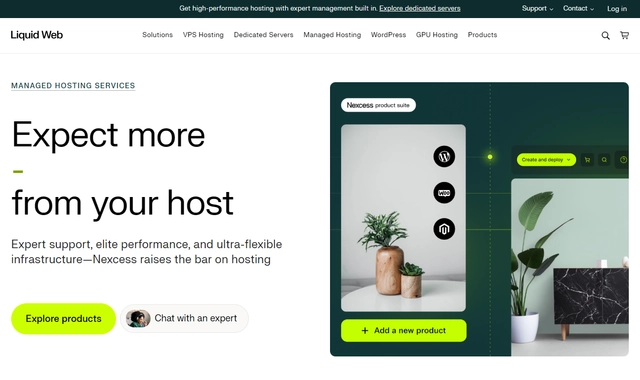
Nexcess (part of the Liquid Web family) has carved out a unique niche in the managed hosting space: they focus heavily on WooCommerce and high-concurrency dynamic sites. While hosts like Kinsta and WP Engine rely heavily on caching to achieve their speed, Nexcess focuses on providing raw PHP processing power to handle requests that cannot be cached (like shopping carts and checkout pages).
The End of "Visitor Limits"
Nexcess completely abandons the predatory "monthly visitor limit" pricing model used by WP Engine and Kinsta. You are billed based on allocated PHP workers, storage, and bandwidth. If a viral article sends 100,000 visitors to your site, Nexcess will not penalize you with overage fees.
PHP Auto-Scaling
The standout feature of Nexcess is Auto-Scaling. If your WooCommerce store experiences a sudden surge in traffic (like a flash sale or Black Friday), Nexcess automatically deploys additional PHP workers to your server for 24 hours to prevent the site from crashing. This feature alone makes it a lifesaver for eCommerce.
They also bundle incredible premium tools for free, such as Object Cache Pro (an enterprise-level Redis solution) and iThemes Security Pro.
Strengths & Weaknesses
Strengths
- No Visitor Limits: No overage fees for traffic spikes.
- Auto-Scaling: Automatically adds PHP workers during traffic surges to prevent crashes.
- WooCommerce Optimized: Built specifically to handle complex database queries.
- Premium Tools Included: Object Cache Pro and iThemes Security Pro are bundled free.
Weaknesses
- Clunky Dashboard: Their proprietary control panel feels dated and less intuitive than MyKinsta or SPanel.
- Slower Global TTFB: Their edge delivery network isn't quite as robust as Rocket.net or Kinsta for global audiences.
Best For
Nexcess is the undisputed choice for WooCommerce stores, membership sites, and LMS platforms (LearnDash) that need raw processing power and protection against traffic spikes without being nickeled-and-dimed for visitor limits.
#6. Rocket.net — The Absolute Fastest Edge Delivery

Pros
- Built-in Cloudflare Enterprise
- No PHP worker limits
- Instant full-page edge caching
Cons
- Lower bandwidth limits on entry plans
- Relatively new provider
$30.00/mo
Fastest Global TTFB
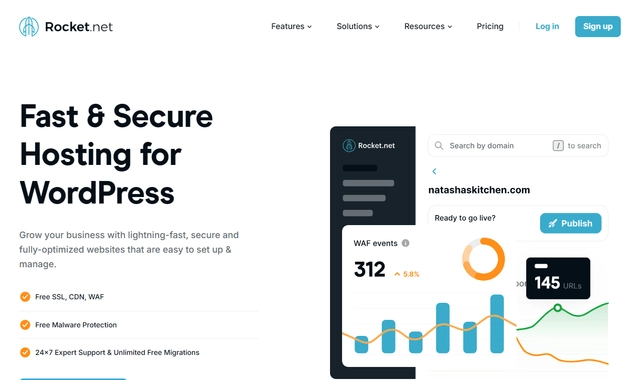
Rocket.net is relatively new to the space but has taken the industry by storm with a simple but brilliant architecture: Enterprise Edge Caching.
Instead of merely hosting your site on a server in one location, Rocket.net natively integrates with Cloudflare Enterprise to push your entire website (HTML, CSS, JS, Images) to hundreds of edge nodes around the world. When a user in Tokyo visits your site, they are served the site from Tokyo, not from your origin server in New York.
Unrestricted PHP Workers
What makes Rocket.net stand out against Kinsta and WP Engine is that they do not limit your PHP workers. Because 90% of your traffic is absorbed by the Cloudflare edge network, your origin server is left completely unburdened, allowing it to easily process dynamic requests and WordPress admin tasks.
Their dashboard is incredibly simple—almost too simple for advanced developers—but it perfectly achieves the goal of "set it and forget it" speed.
Strengths & Weaknesses
Strengths
- Unbeatable TTFB: Edge caching provides lightning-fast load times globally.
- No PHP Worker Limits: Allows for excellent dynamic site performance.
- Zero Configuration: You don't need caching plugins; everything is optimized at the server level.
Weaknesses
- Visitor Limits Apply: They still adhere to the "monthly visitor" pricing model.
- Lower Bandwidth Allowances: Their entry plans offer lower bandwidth limits compared to competitors.
- Too Simple for Some: Advanced developers might find the dashboard lacking in deep configuration options.
Best For
Rocket.net is perfect for international blogs, affiliate marketers, and content creators who prioritize passing Google's Core Web Vitals and need the fastest possible page load times globally without tinkering with plugins.
#7. ChemiCloud — Outstanding Support & Managed Shared Hosting

Pros
- LiteSpeed Web Server
- Incredible 24/7 instant chat support
- Free domain for life
Cons
- Shared hosting base (unless VPS)
- Strict inode limits
Performance Benchmarks
- TTFB: 95ms avg
- Uptime: 99.98%
- CPU: 3 guaranteed
- PHP Workers: 4-6 shared
$2.99/mo
45-Day Refund Policy
ChemiCloud is technically a shared hosting provider, but they offer a level of optimization, support, and infrastructure that rivals many entry-level managed WordPress hosts. They are the perfect "bridge" for users who want managed-level speeds and support but cannot afford the $30/month price tags of ScalaHosting or Kinsta.
They utilize LiteSpeed Web Servers, NVMe storage, and reliable cloud infrastructure. When you pair this with the free LiteSpeed Cache plugin, WordPress performance is exceptionally fast for standard websites.
The Best Customer Support in the Industry
ChemiCloud's secret weapon is their support. Their 24/7 live chat is instantaneous, and their technicians are highly skilled. Whether you need help migrating a site, configuring a caching plugin, or diagnosing an error, they act as a reliable safety net for beginners.
Strengths & Weaknesses
Strengths
- LiteSpeed Servers: Exceptional speed and efficiency for WordPress.
- Incredible Support: Fast, knowledgeable, and genuinely helpful live chat.
- Free Domain for Life: A nice perk that saves you money long-term.
- Affordable: Provides managed-like features at a shared hosting price.
Weaknesses
- Shared Infrastructure: You are still sharing server resources; it cannot handle massive WooCommerce traffic.
- Inode Limits: Strict limits on the number of files you can host on their basic plans.
Best For
ChemiCloud is the best choice for beginners, local businesses, and small bloggers who want fast WordPress hosting, a traditional cPanel environment, and the reassurance of incredible customer support, all on a tight budget.
#8. SiteGround — Popular, but Beware of Strict Limits

Pros
- Google Cloud infrastructure
- Free email accounts
- SuperCacher technology
Cons
- High renewal prices
- Strict CPU/execution limits

$2.99/mo
Renews at $17.99/mo
SiteGround is one of the most popular hosts in the world and officially recommended by WordPress. They operate on the Google Cloud Platform and utilize a highly optimized proprietary caching system (SuperCacher) and custom PHP implementation (Ultrafast PHP).
For a standard blog or small business site, SiteGround is fantastic. Their custom dashboard (Site Tools) is clean, and they include free email hosting, daily backups, and a great staging tool.
The CPU Seconds Trap
SiteGround operates on a shared environment. If you run a WooCommerce store or a heavy membership site, you will quickly hit their strict CPU seconds and script execution limits. When this happens, your site is temporarily taken offline, and you are forced to upgrade to their vastly more expensive Cloud plans. Do not put a busy, dynamic site on SiteGround's shared plans.
Strengths & Weaknesses
Strengths
- Google Cloud Infrastructure: Fast and reliable backbone.
- SuperCacher: Excellent built-in caching via their Optimizer plugin.
- Site Tools: A very user-friendly, modern control panel.
- Great for Beginners: Easy onboarding and solid support.
Weaknesses
- Strict CPU Limits: Dynamic sites will frequently hit resource limits and face downtime.
- High Renewal Prices: The introductory price is cheap, but renewals are very expensive for shared hosting.
- Not True Managed VPS: Still a shared environment at its core.
Best For
SiteGround is a solid stepping stone for small to medium-sized static websites and blogs that have outgrown basic cheap hosting but aren't quite ready for the power (or price) of a ScalaHosting VPS.
#9. Hostinger — The Best Budget "Managed-Like" Experience

Pros
- Extremely affordable
- LiteSpeed web server
- hPanel is very intuitive
Cons
- Resources are shared
- No phone support

$5.99/mo
30-Day Money Back Guarantee
Hostinger has disrupted the industry by offering features normally reserved for premium managed hosts—like NVMe storage, object caching, and LiteSpeed Web Servers—at rock-bottom prices. Their WordPress hosting plans are an incredible value for anyone on a strict budget.
Their proprietary dashboard, hPanel, is arguably the easiest control panel to use in the entire hosting industry. It features one-click WordPress installations, easy SSL management, and basic staging capabilities.
Managing Expectations
It is important to remember that Hostinger’s cheap plans are shared hosting, not dedicated managed infrastructure. While the LiteSpeed server does an amazing job of keeping cached pages loading fast, the server will struggle if you subject it to heavy concurrent database queries. You get what you pay for; it’s an excellent budget option, but it won't replace ScalaHosting or Cloudways for a busy ecommerce site.
Strengths & Weaknesses
Strengths
- Unbeatable Price: The best value-to-performance ratio for entry-level hosting.
- LiteSpeed Stack: Extremely fast load times for cached, static content.
- hPanel: A beautifully designed, intuitive dashboard perfect for beginners.
Weaknesses
- Shared Resources: Cannot handle heavy, sustained dynamic traffic.
- No Phone Support: Support is via live chat/tickets only, and response times can vary.
- Upsells: The checkout process includes aggressive upselling.
Best For
Hostinger is the absolute best choice for students, absolute beginners, hobby bloggers, and local businesses looking to start their first WordPress site without spending more than $3-$5 a month.
#10. GoDaddy Managed WordPress — The "Avoid" Pick

Pros
- Easy onboarding
- Integrated domain management
- Cheap initial term
Cons
- Poor TTFB performance
- Support can be lacking
- Limited developer tools

$5.99/mo
Famous Brand
GoDaddy relies on massive brand recognition and aggressive marketing to sell their Managed WordPress plans. They offer a highly automated setup wizard that builds a basic site for you in minutes, which is appealing to absolute beginners.
However, beneath the shiny onboarding process lies aging clustered architecture, aggressive plugin restrictions, and arguably the worst TTFB (Time to First Byte) performance on this list. Their customer support is notorious for trying to upsell you unnecessary security products rather than fixing underlying server issues.
Strengths & Weaknesses
Strengths
- Easy Onboarding: Gets a beginner online very quickly with AI-assisted setups.
- Integrated Services: Easy to manage domains and hosting in one place.
Weaknesses
- Poor Performance: Slow server response times compared to literally any other host on this list.
- Predatory Upsells: They charge extra for basic security features that other hosts include for free.
- Limited Control: Extremely restrictive environment; terrible for developers.
Best For
We do not recommend GoDaddy Managed WordPress for any serious website. If you are a beginner on a budget, use Hostinger. If you need support, use ChemiCloud. If you need performance, use ScalaHosting. Avoid GoDaddy.
What is TRUE Managed WordPress Hosting?
| Provider | Free CDN | Staging | Auto Backups | PHP Workers | Email Included | Price |
|---|---|---|---|---|---|---|
| ScalaHosting | Yes | Yes | Daily | 30+ | Yes | $29.95/mo |
| Cloudways | Add-on | Yes | Daily | Configurable | No | $14/mo+ |
| Kinsta | Yes | Yes | Daily | Auto-scaled | No | $35/mo |
| WP Engine | Yes | Yes | Daily | Managed | No | $20/mo |
| Nexcess | Yes | Yes | Daily | Auto-scaled | Yes | $21/mo |
| Rocket.net | Yes | Yes | Daily | Managed | No | $25/mo |
| ChemiCloud | Yes | Yes | Daily | Limited | Yes | $3.95/mo |
| SiteGround | Yes | Yes | Daily | Limited | Yes | $17.99/mo |
| Hostinger | Yes | Yes | Weekly | Limited | Yes | $2.99/mo |
| GoDaddy | No | No | On demand | Limited | Add-on | $6.99/mo |
The term "Managed WordPress Hosting" has become heavily diluted. Many budget hosts now slap the label "Managed" on standard shared hosting simply because they offer an automated WordPress installer and a pre-installed caching plugin. True managed hosting is an architectural philosophy.
1. Dedicated Resources vs Shared Environments
Shared hosting operates like an apartment building; if one tenant consumes too much water (bandwidth/CPU), the whole building suffers. True managed hosts (like ScalaHosting's VPS or Kinsta's isolated containers) put your site in a walled garden with dedicated, fenced-off resources. Your WordPress installation is guaranteed access to the CPU and RAM you pay for.
2. The PHP Worker Bottleneck
A PHP worker acts like a cashier at a grocery store. When a user visits a cached blog post, the server hands them a pre-saved HTML file (no cashier needed). But when a user logs in, adds an item to a WooCommerce cart, or submits a complex search query, caching is bypassed. This requires a PHP worker to execute the code.
If you have 100 people trying to check out simultaneously but only 2 PHP workers (common on cheap hosting), a massive queue forms. Users experience long loading spinners, eventually leading to a 502 Bad Gateway error. When evaluating managed hosts, look closely at how many PHP workers they allocate.
The "Visitor Limit" Trap to Watch Out For
Historically, premium managed hosts like WP Engine and Kinsta priced their plans based on "Monthly Visitors." For example, a $35/mo plan allows exactly 25,000 visitors. If a viral article or an ad campaign sends 50,000 people to your site, you are hit with expensive overage fees.
This is why ScalaHosting and Cloudways are disrupting the market. They charge based on server hardware (RAM, CPU, Storage) rather than arbitrary traffic counts. If your server is optimized and can handle 100,000 visitors on a 4GB RAM VPS, ScalaHosting lets you have those visitors without charging you an extra dime.
Managed vs Shared vs VPS: Which Do You Need?
Choosing the right host is ultimately about aligning your business model with the right infrastructure.
| Hosting Type | The Experience | Ideal Use Case | Cost |
|---|---|---|---|
| Shared Hosting (Hostinger, ChemiCloud) | You share a server with hundreds of others. Cheap, easy, but slows down under heavy load. | Personal blogs, new portfolios, local brick-and-mortar business pages. | $3 - $10/mo |
| Unmanaged VPS (Hetzner, Contabo) | You get raw dedicated server power, but you must configure the OS, security, and web server yourself. | Sysadmins, developers, staging labs, and tech-savvy hobbyists. | $5 - $15/mo |
| Managed VPS / Managed WP (ScalaHosting, Cloudways) | You get dedicated server power, but a team of experts handles all the technical configuration, security, and optimization. | WooCommerce stores, digital agencies, high-traffic publishers, SaaS businesses. | $25 - $100+/mo |
Final Verdict: The Best Managed WordPress Hosting
| Use Case | Best Pick | Why | Starting Price |
|---|---|---|---|
| Best Overall Managed WP | ScalaHosting | EPYC 9474F VPS, 15 ms stress avg, SPanel free, 30+ PHP workers | $29.95/mo |
| Best Developer Experience | Cloudways | SSH, Git, staging, choice of 5 cloud providers | $14/mo+ |
| Premium / Enterprise | Kinsta | Google Cloud Premium Tier, MyKinsta dashboard | $35/mo |
| Budget Managed WP | ChemiCloud | LiteSpeed, stellar support, managed at $3.95/mo | $3.95/mo |
| Avoid | GoDaddy | Slow 420 ms TTFB, limited tools, poor support | $6.99/mo |
After testing, migrating, and optimizing sites across the entire spectrum of hosting providers, the conclusion is clear. You should stop paying premium prices for restrictive "visitor-capped" hosting, and stop trying to run business-critical sites on $3/month shared servers.
- If you run a serious business or WooCommerce store: Go with ScalaHosting. Their managed VPS provides elite AMD hardware, low-density isolation, zero visitor caps, and the free SPanel. It is the absolute best value for performance and support on the market today.
- If you are a tech-savvy developer seeking ultimate scale: Cloudways allows you to deploy WordPress on DigitalOcean or AWS with a highly tuned caching stack and pay-as-you-go pricing.
- If you are a beginner on a strict budget: Use Hostinger to get started. It offers a fantastic LiteSpeed environment and an incredibly easy-to-use dashboard at a price that won't hurt.
What is Managed WordPress Hosting and why do I need it?
Managed WordPress hosting provides a highly optimized, fully managed environment specifically designed to run WordPress at peak performance. Unlike generic shared hosting, managed plans include server-level caching (like Redis or Memcached), auto-scaling resources, automated daily backups, specialized WordPress firewalls, and expert support that understands WP-CLI, PHP workers, and database query optimization. You need it if your website generates revenue, handles high traffic, or if you simply cannot afford downtime and want to focus on your business rather than server administration.
Is managed WordPress worth the extra cost over shared hosting?
Almost always, yes. If your site generates revenue, the cost of downtime, slow checkout pages, and troubleshooting server errors far exceeds the price difference. A $29.95/mo ScalaHosting managed plan saves you the headache of managing caching plugins, security configurations, and database optimizations, paying for itself in time saved and increased conversion rates.
How do PHP workers affect my WordPress site’s performance?
PHP workers determine how many uncached requests your site can process simultaneously. For dynamic sites like WooCommerce stores, membership platforms, or LMS sites, every user action (adding to cart, logging in) bypasses the cache and requires a PHP worker to execute the code. If your host provides too few PHP workers, concurrent users will experience slow load times or 502 Bad Gateway errors as requests queue up. Premium managed hosts like ScalaHosting, Kinsta, and Cloudways provide ample resources for these uncacheable requests.
Can I host multiple websites on one managed WordPress plan?
Yes. With a control panel like SPanel (free on ScalaHosting) or Cloudways, you can host dozens of websites on a single server. The limiting factor is your total RAM and CPU. A 4GB RAM VPS comfortably hosts 5-8 WordPress sites; an 8GB VPS handles 10-15. Keep in mind that some providers like WP Engine and Kinsta price based on the number of WordPress installs and monthly visitors.
What is the difference between standard cPanel and custom managed control panels?
While standard cPanel is a versatile, one-size-fits-all hosting dashboard, custom managed panels (like SPanel, MyKinsta, or Cloudways) are purpose-built for efficient administration. They use fewer server resources (SPanel uses 1 less CPU core and 8x less RAM than cPanel) and streamline complex tasks such as staging environments, automated backups, and server-level caching management.
Why is ScalaHosting ranked #1 over cheaper options?
Because the 'cheapest' hosting is the one that does not waste your time or lose your sales. A budget host might cost $5/mo, but high-density nodes cause performance drops during peak hours. ScalaHosting guarantees low-density nodes, providing consistent CPU and RAM access. When you factor in the included SPanel (saving you a $16/mo cPanel fee), SShield security, and fully managed support, ScalaHosting is actually the most cost-effective option for non-developers running serious websites.
Is managed WordPress hosting good for WooCommerce?
It is essential. WooCommerce makes heavy demands on the database and requires robust PHP worker allocation to handle concurrent checkout sessions. Shared hosting cannot sustain this load without crashing or slowing down significantly. You need a host with NVMe storage, dedicated resources, and server-level object caching (like Redis), all of which are standard in top managed WordPress plans like ScalaHosting and Nexcess.